

Raw footage becomes finished video through editing. The editing process shapes narratives, controls pacing, fixes problems, and adds polish that distinguishes professional from amateur production. Understanding editing fundamentals proves essential for anyone creating video content.
This guide compares software options, teaches fundamental techniques, and provides workflows for beginners starting their editing journey.
Software Comparison
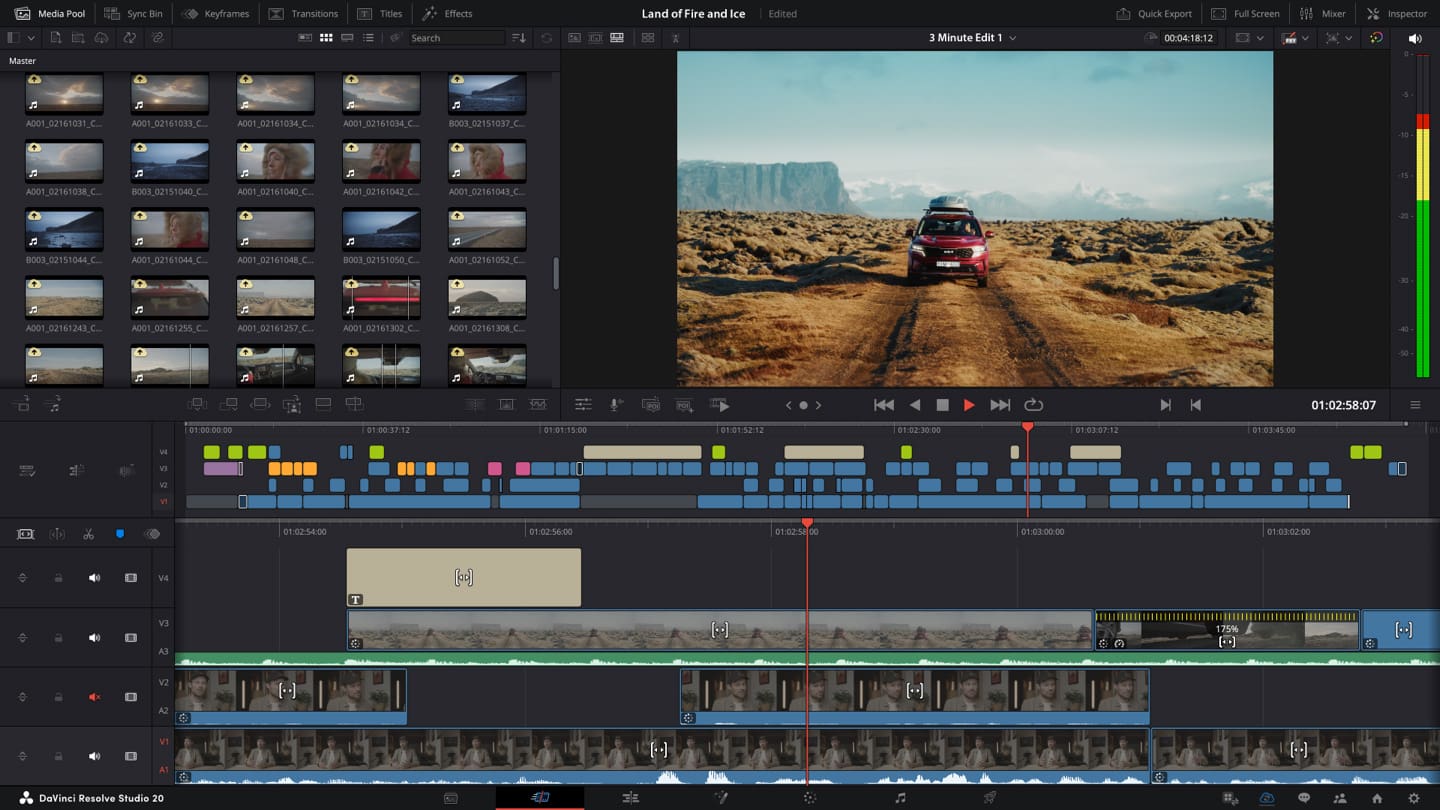
DaVinci Resolve (Free)
DaVinci Resolve offers professional-grade editing completely free. The same software Hollywood colourists use for feature films costs nothing for the fully-featured version. Only advanced features like collaboration tools require the paid Studio version.
Resolve’s learning curve feels steeper than consumer editors, but the investment pays off with industry-standard capabilities. Colour grading tools particularly exceed other options in this price range, which is to say, no price at all.
Adobe Premiere Pro
Premiere Pro dominates professional video editing. Its integration with other Adobe applications creates efficient workflows for creators using Photoshop, After Effects, and Audition.
Subscription pricing means ongoing costs, but student discounts and bundled plans reduce expenses. If you’re already paying for Adobe Creative Cloud, Premiere Pro is likely included.
Final Cut Pro
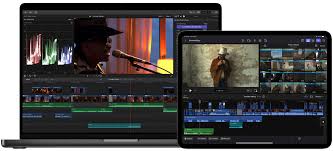
Apple’s professional editor offers one-time purchase pricing and tight macOS integration. Its magnetic timeline helps beginners avoid some common editing mistakes.
Mac-only availability limits its reach, but Apple users find Final Cut’s performance optimisation particularly impressive on Apple Silicon machines.
Free Options
CapCut provides surprisingly capable editing with a gentle learning curve. iMovie offers basics for Mac users. These options suit simple projects and learning fundamentals before advancing to professional tools.
Timeline Fundamentals
The timeline represents your video sequence horizontally. Clips appear as blocks showing duration visually. Moving clips changes their position in the final video. Trimming clips shortens or extends them.
Tracks stack vertically, allowing multiple video and audio elements to play simultaneously. Higher video tracks appear over lower ones, enabling overlays, titles, and picture-in-picture effects.
Playhead position indicates current frame during playback or scrubbing. Moving the playhead jumps to specific points in your sequence.
Cutting Techniques
J-Cuts and L-Cuts
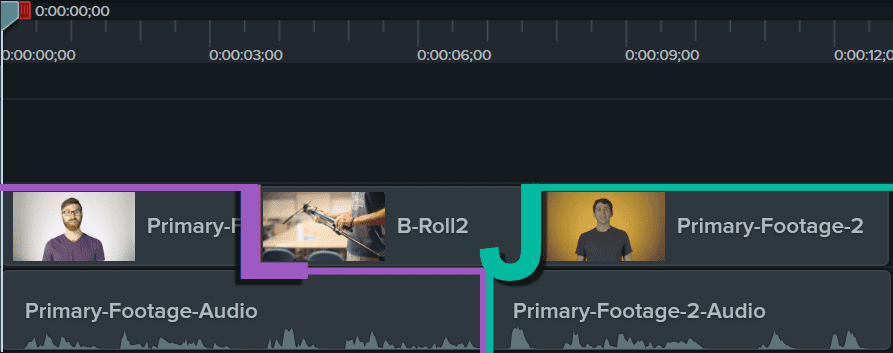
J-cuts bring audio in before its associated video, preparing viewers for scene changes. L-cuts extend audio after video transitions, maintaining continuity. These cuts create smoother, more professional transitions than straight cuts.
Match Cuts
Match cuts transition between scenes using visual similarity, connecting different locations or times through compositional echoes. A spinning basketball might cut to a spinning globe, linking visually while changing context.
Pacing and Rhythm
Cut frequency affects energy. Rapid cuts create urgency and excitement. Longer takes provide contemplation and emphasis. Match cutting rhythm to content and intended emotion.
Music and Titles
Royalty-free music libraries provide legal options without expensive licensing. Epidemic Sound, Artlist, and Musicbed offer subscription models. Free options like YouTube Audio Library work for non-commercial projects.
Titles should complement content without distracting. Clean, readable fonts typically work better than elaborate decorative options. Ensure titles appear long enough to read comfortably.

Export Settings
YouTube recommends specific settings for optimal quality. H.264 codec at high bitrates (16-20 Mbps for 1080p) maintains quality through platform compression.
Social platforms each have optimal settings. Vertical 9:16 ratios suit TikTok and Instagram Stories. Square 1:1 works for Instagram feed. Research specific platform requirements.
Develop comprehensive video skills with the Certificate in Videography covering shooting and editing.
Explore courses at Australian Photography School.